
You can upload a profile picture, as well as a header image, by hovering over your current profile icon at the top right of the page, and then selecting "Edit Profile."
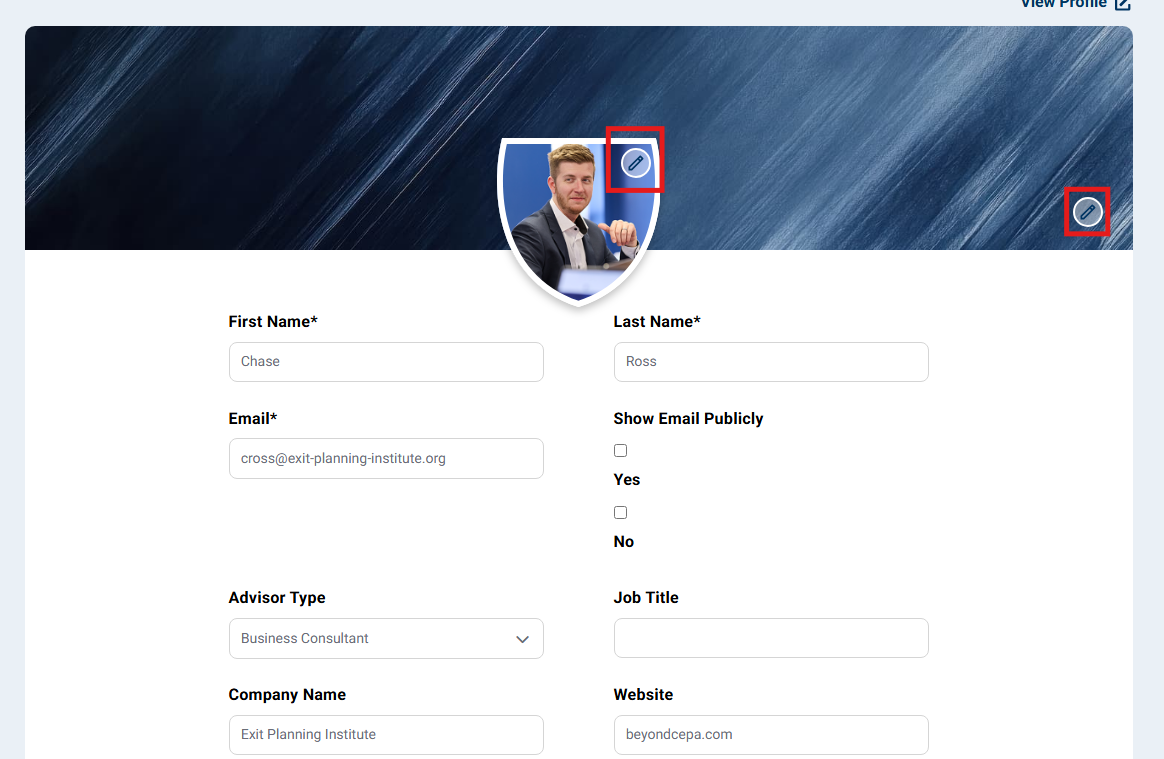
From there you should see a screen with a similar image to the below example. Click the pencil icon on the shield image to upload a new profile photo, or click the pencil icon to the far right to update the header image.
Questions? Contact the EPI team by:
- Phone: (216) 712-4244
- Email: MemberExperience@BeyondCEPA.com