
You can create a new post on the Dashboard, All Posts, or Profile pages within CEPA Connect.
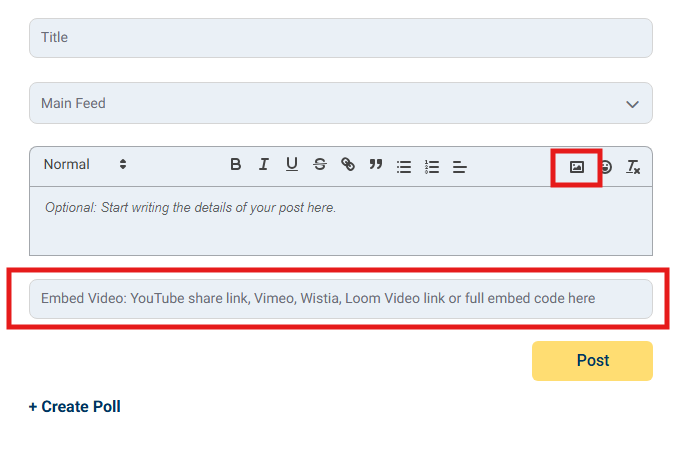
After clicking "Create a post", you will be prompted with the below screen. Use the picture icon in the top right to add an image to your post, or you can use the Embed Video featured at the bottom to add in a video link to be included in your post.
Questions? Contact the EPI team by:
- Phone: (216) 712-4244
- Email: MemberExperience@BeyondCEPA.com